Getting Started with Coinstream
Coinstream is a crypto trading platform that lives entirely inside Telegram. No separate app to download, no password to remember — just open it and start trading. This guide walks you through the interface and helps you launch your first bot in demo mode.
Open the App
- Search for @coinstream_robot in Telegram
- Tap the Open button — the mini app launches inside Telegram
- You're on the main screen, ready to go
Authentication happens automatically through your Telegram account. No registration or email required.
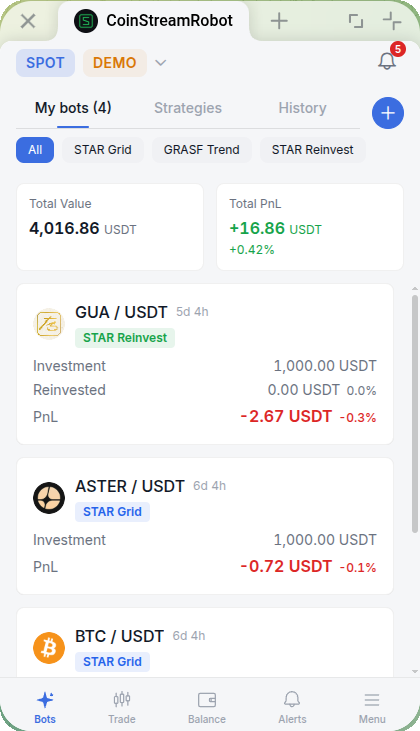
Interface Overview
The app has five tabs along the bottom. Here's what each one does:
| Tab | What's Inside |
|---|---|
| Bots | Your bot list — launch, monitor, and view statistics |
| Trade | Trading terminal — charts, order book, place orders |
| Balance | Your balances and open positions |
| Alerts | Price alert management |
| Menu | Settings, account info, support |
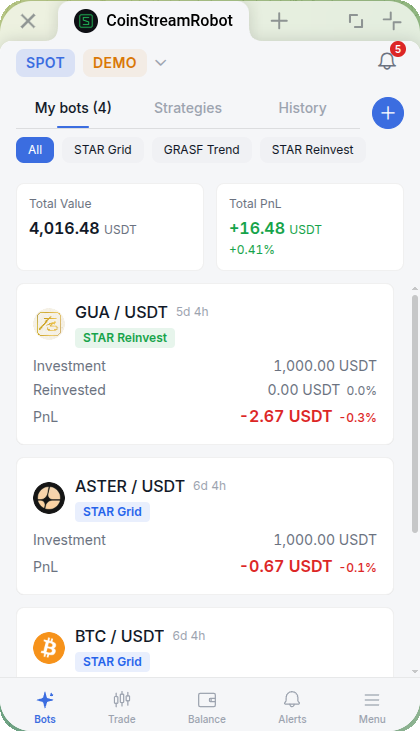
At the top of the screen you'll find the mode dropdown (Spot / Spot Demo).
Try Demo Mode First
Demo mode lets you explore the platform and test bots without putting any real money at risk. You get 50,000 USDT virtual balance, and you can reset it at any time.
To switch to demo mode:
- Tap the dropdown menu at the top of the screen (shows Spot by default)
- Select Spot Demo
That's it — no exchange connection needed. All trades are simulated against real market data.
Starting with demo mode is the best way to get comfortable with the interface before trading with real funds.
For more details: Demo Mode
Launch Your First Bot
Once you're in demo mode, launching a bot takes under a minute.
- Go to the Bots tab
- Tap the + button
- Choose STAR Grid — the grid trading bot for spot markets
- Select a trading pair (ETH/USDT is a good starting point)
- The default parameters are reasonable for a first run
- Tap Create Bot
The bot will appear in your Bots list and start working immediately.
STAR Grid works best in sideways or mildly trending markets — it places a grid of buy and sell orders and profits from price oscillations.
For a full breakdown of all parameters: STAR Grid Bot Guide
Two Bot Types
Coinstream currently offers two bots for spot trading:
STAR Grid — classic grid trading. Places buy and sell orders at set intervals within a price range. Collects profit from repeated small trades as price moves up and down.
STAR Reinvest — grid trading with reinvestment. Automatically adds realized profit back into the grid, compounding returns over time.
Both bots run on AsterDEX, the integrated decentralized exchange.
What's Next
Once you've got the basics down, here's where to go deeper:
- Demo Mode — how to use virtual balance, reset it, and what's different from live trading
- STAR Grid Bot — full guide to grid bot setup and parameter selection
- STAR Reinvest Bot — how reinvestment works and when to use it
- Manual Trading — place your own orders from the Trade tab
- Price Alerts — get notified when a coin hits your target price
- Account Settings — configure your profile and preferences
Ready to start? Open @coinstream_robot in Telegram.